Power interfaces (AM unit)
Before you begin
Before connecting any power cables, be sure that all circuit breakers which are located in the external Battery Distribution and Fuse Bay (BDFB) and/or on a Power Distribution Panel (PDP) are in the OFF position.
Important! The power cables should be connected later (see section Switching on and testing supply voltage).
DC connector data
The DC connector is a 9-pin SUB-D male connector.
Figure 4-1: DC connector (AM unit)
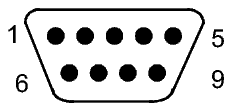
Table 4-1: Pin assignment (power cables, AM unit)
|
Point on Connector |
Signal Name |
Color |
|---|---|---|
|
1 |
–24/–48/–60 VDC, feed A |
blue |
|
2 |
nc |
|
|
3 |
DC RTN (return), feed A |
red |
|
4 |
nc |
|
|
5 |
–24/–48/–60 VDC, feed B |
blue |
|
6 |
nc |
|
|
7 |
DC RTN (return), feed B |
red |
|
8 |
DC common return for feed A+B |
red |
|
9 |
GND (common ground) |
yellow/green |
AC connector data
The AC connector is a 3-pin IEC 60320 universal connector (input power range: 90 to 264 VAC).
Cable data
Preferably stranded 0.51 mm² wires with proper insulation should be used.
Cable connection
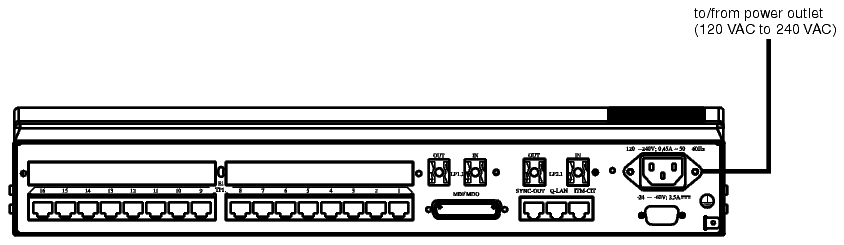
The power cables must be connected as shown in the figures below.
NOTE: If an AC/DC converter is used, the DC side needs to be connected to the 1643 AM and the AC side needs to be connected to a power outlet.
Figure 4-2: DC connection (AM unit)
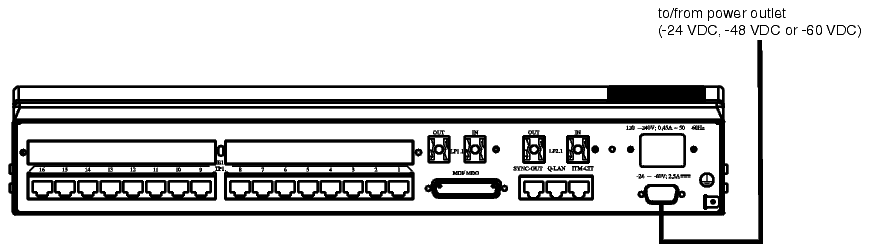
Figure 4-3: AC connection (AM unit)