How do I view current alarms of a specific severity?
Purpose
In the Current Alarms view you can restrict the view to display only alarms of a selected severity.
Steps
1
In the Network Map And Health, Current Alarms view, click on an alarm severity level icon in the Severity filter selector to display only alarms of that particular severity level.
2
Click on the Clear Filter button to clear filters.
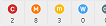 to display only alarms of that particular severity level.
  to clear filters.