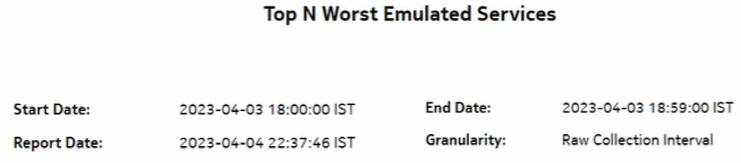
Top N Worst Emulated Services report
Top N Worst Emulated Services report overview
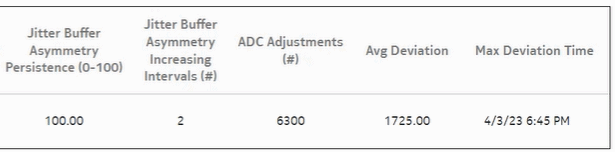
The Top N Worst Emulated Services report is a tabular report that lists the emulated services (Cpipe) with the worst jitter buffer asymmetry.
Jitter buffer asymmetry is the difference in the jitter buffer depth at the two SAP endpoints at a moment in time (statistics collection interval). The jitter buffer asymmetry index is a value in the 0 to 100 range where 100 is the theoretical worst jitter buffer asymmetry (maximum jitter buffer asymmetry) for each interval in the report range. The formula is:
sum (asymmetry for each interval in the range) / (# intervals * max jitter buffer depth) * 100
Jitter buffer asymmetry persistence is a value in the 0 to 100 range, where 100 is the theoretical worst persistence value. This value indicates how consistently the asymmetry is at an unacceptable level. A single spike of asymmetry is typically less of a concern than a persistent condition of asymmetry. The formula is:
Count (# intervals asymmetry >= 2) / # intervals * 100
The table is sorted in descending order with the asymmetry index first, then asymmetry persistence.
Limitations
Report limitations include:
-
When the report is exported to the DOCX file type, some data may not display or the table may not align properly.
-
When the report is exported to the RTF file type, the report may not export or display properly.
Prerequisites
The following table describes the aggregation rules that must be enabled and the accounting policies that must be configured for the NEs on which statistics are to be collected; see the NSP NFM-P Statistics Management Guide for information about configuring an accounting policy. To view the report for granularities other than raw data, the aggregation rules must be enabled; see How do I configure analytics aggregation?.
Table 14-33: Top N Worst Emulated Services report prerequisites
|
Aggregator name |
Monitored object class |
Statistics class |
Statistics collection |
MIB name |
NE types |
|---|---|---|---|---|---|
|
CEM SAP Aggregator |
service.L2AccessInterface |
service.CemSapStats |
Performance statistics |
sapCemStatsEntry |
7210 SAS-M 7250 IXR R6 7450 ESS 7705 SAR 7705 SAR-H 7750 SR Note: 7705 SAR-Hm and 7705 SAR-Hmc are not supported |
|
CEM SAP ADC Aggregator |
service.L2accessInterafce |
service.CemSapADCStats |
Performance statistics |
sapCemADCStatsEntry |
7705 SAR 7705 SAR-H |
Use cases
Synchronization management—Monitoring of services and their health in terms of network synchronization, with identification of services needing further investigation or maintenance based on three jitter buffer asymmetry KPIs.
Report characteristics
The following table lists the principal report characteristics.
Table 14-34: Top N Worst Emulated Services report characteristics
|
Characteristic |
Value | |||||
|---|---|---|---|---|---|---|
|
Data type |
Statistics | |||||
|
Source database |
Auxiliary database | |||||
|
Report inputs |
Prompt |
Notes | ||||
|
End date |
Calendar date or relative date (for example, two days ago) and time | |||||
|
Report range |
Length of time to be reported, in minutes (minutes, min), hours (hours, h), days (days, d), or months (months, m) | |||||
|
Granularity |
Aggregation types: | |||||
|
Name or name pattern for customer |
Search using partial names or wildcard (%). Select individual items or click Select All. | |||||
|
Customers | ||||||
|
Name or name pattern for service | ||||||
|
Service | ||||||
|
Top N |
Number of interfaces to report. | |||||
|
Logo Resource ID |
The logo to add to the report. Enter the Resource ID of the logo image in the Images folder. The default is the Nokia logo. To create the report without a logo, leave the Logo Resource ID field blank. | |||||
|
Logo Position |
Choose Left, Middle, or Right. The logo appears on the left on the first page of the report if you choose Left or Middle. | |||||
|
Show report output on one page |
Select the check box to enable pagination. Note: Using the Show report output on one page option when creating reports as drill-downs may impact report rendering time. Nokia recommends disabling the Show report output on one page option when creating reports. | |||||
|
Drill-down support |
Yes—Click on service name to drill down to the Emulated Service Details report. | |||||