Deleting the configuration
Note: The procedure to delete the configuration from NSP is the same as the following procedure.
To delete the configuration
| |
|
1 |
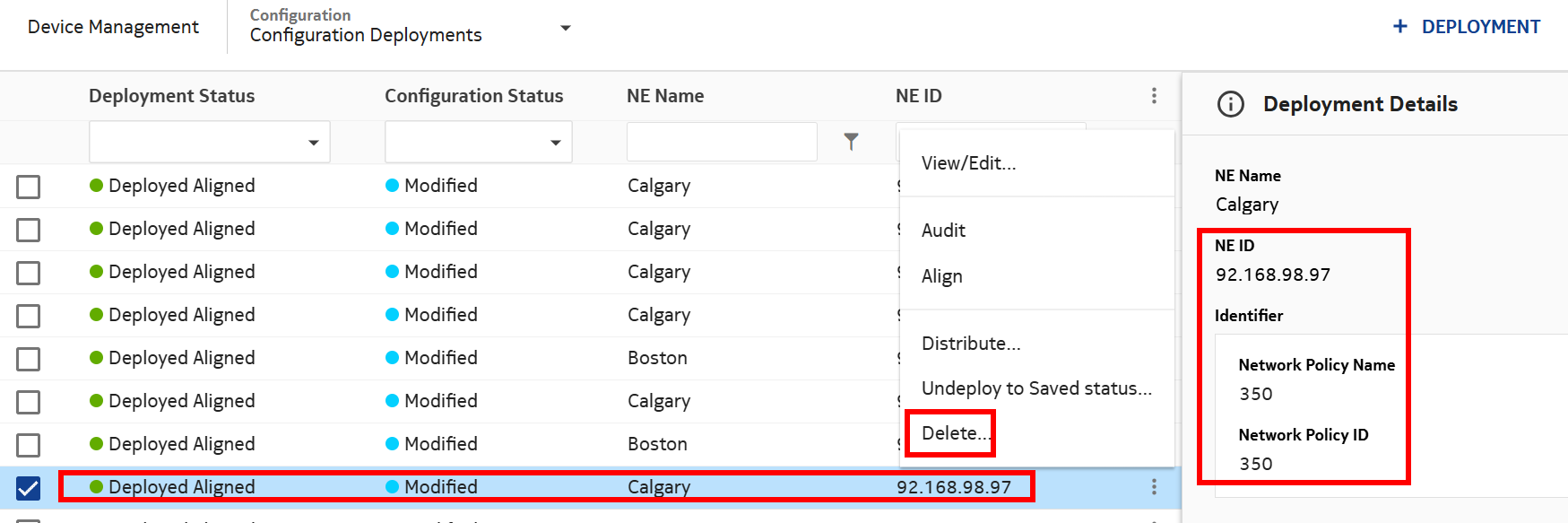
Click on  and select Delete.... and select Delete....
|
2 |
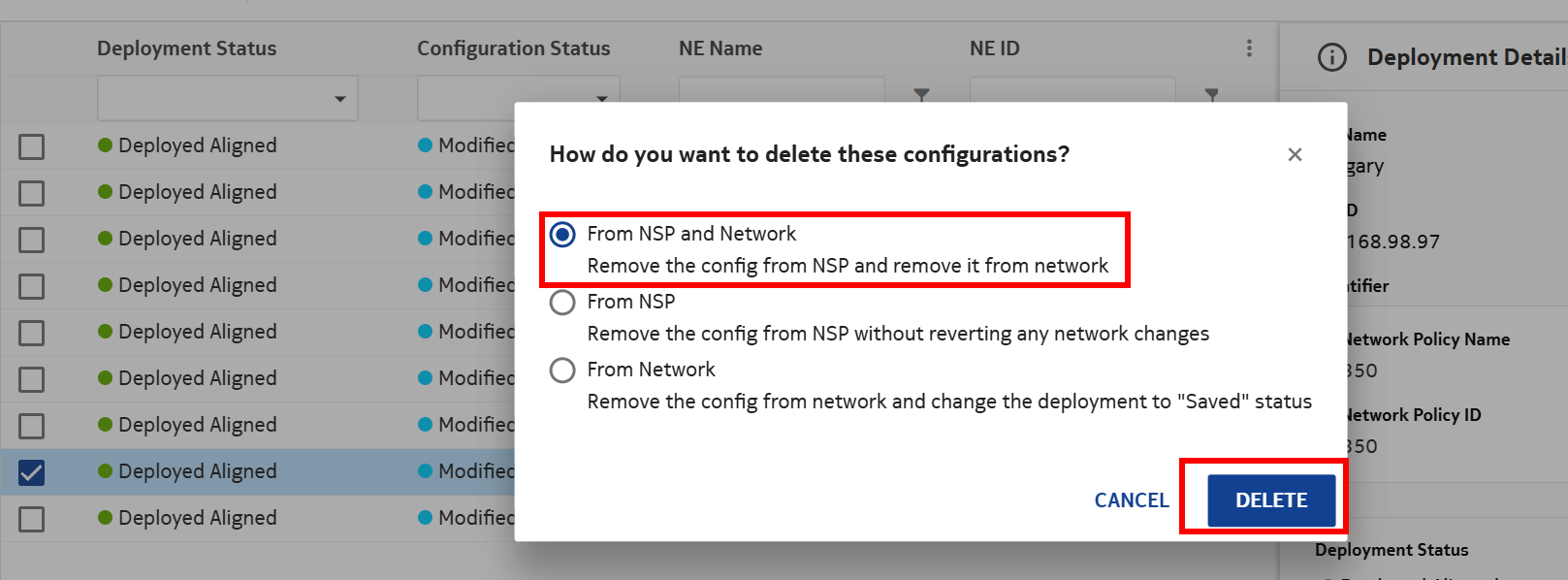
Select the first option and click DELETE.
|
3 |
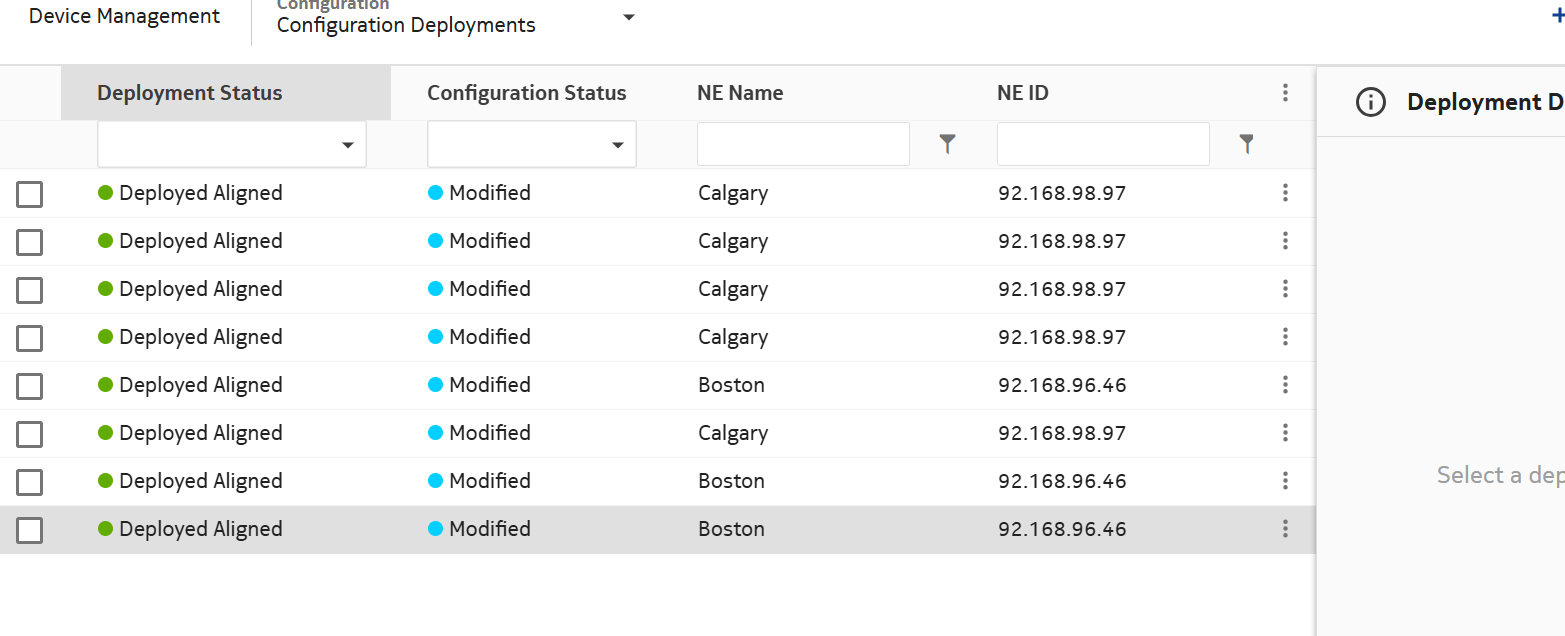
Verify that the entry was removed from the list.
|
4 |
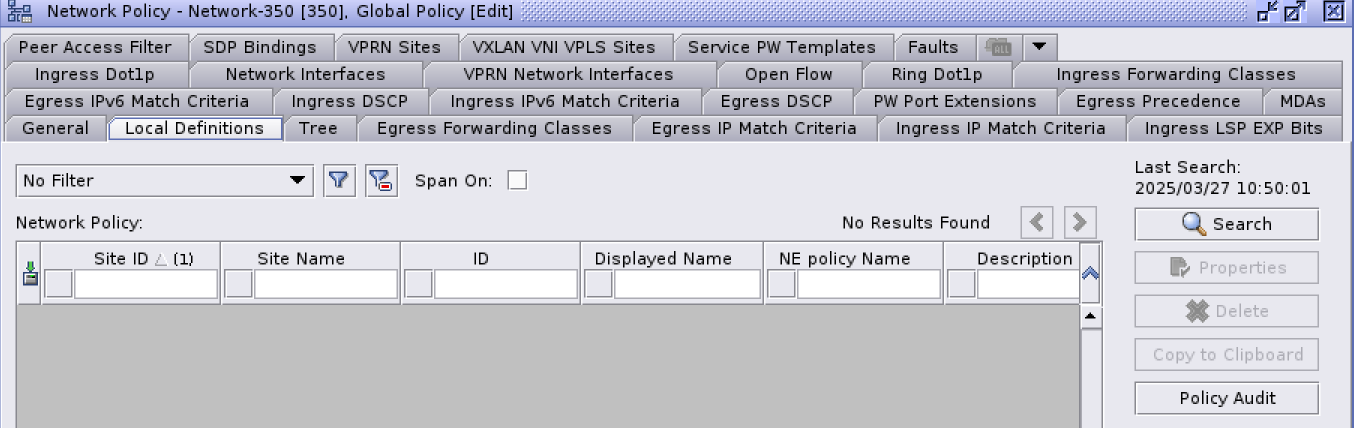
Log into NFM-P and verify that the entry was removed from Local Definitions.
|
5 |
Log into NE and verify the entry was removed.
End of steps |