| |
|
1 |
Navigate to the Service Management views and select Services from the drop-down menu.
A list of existing services is displayed.
|
2 |
Click  (Table row actions), Edit in-line with the desired service. (Table row actions), Edit in-line with the desired service.
The Edit Service form opens.
|
Modify the RT target type
|
| |
|
3 |
Click (Table row actions), Edit in-line with the desired route target.
|
4 |
Perform one of the following:
-
Set the Target Type parameter to Import and click UPDATE.
The route target is updated as shown below:
-
Set the Target Type parameter to Export and click UPDATE.
The route target is updated as shown below:
The CLI output is as follows:
A:admin@leaf-11# info network-instance leaf1l3 protocols bgp-vpn
bgp-instance 1 {
route-distinguisher {
rd 64500:112
}
route-target {
export-rt target:64500:112
}
}
--{ + running }--[ ]--
A:admin@leaf-11#
|
5 |
Click UPDATE.
The Edit Site form closes.
|
Add secondary IP
|
| |
|
6 |
Click (Table row actions), Edit in-line with the desired IRB.
The Edit IRB form opens.
|
7 |
Create a secondary IP address as shown below:
The CLI output is as follows:
A:admin@leaf-11# info interface irb0
admin-state enable
subinterface 0 {
admin-state enable
ipv4 {
admin-state enable
address 1.1.1.2/24 {
anycast-gw false
}
address 3.3.3.3/24 {
anycast-gw false
}
arp {
timeout 14400
learn-unsolicited true
}
}
ipv6 {
admin-state enable
neighbor-discovery {
reachable-time 30
stale-time 14400
learn-unsolicited none
}
}
}
--{ + running }--[ ]--
A:admin@leaf-11#
|
8 |
Modify the ARP parameters as shown below:
The CLI output is as follows:
A:admin@leaf-11# info interface irb0 subinterface 0 ipv4 arp
timeout 14400
learn-unsolicited true
host-route {
populate evpn {
}
}
|
9 |
Click 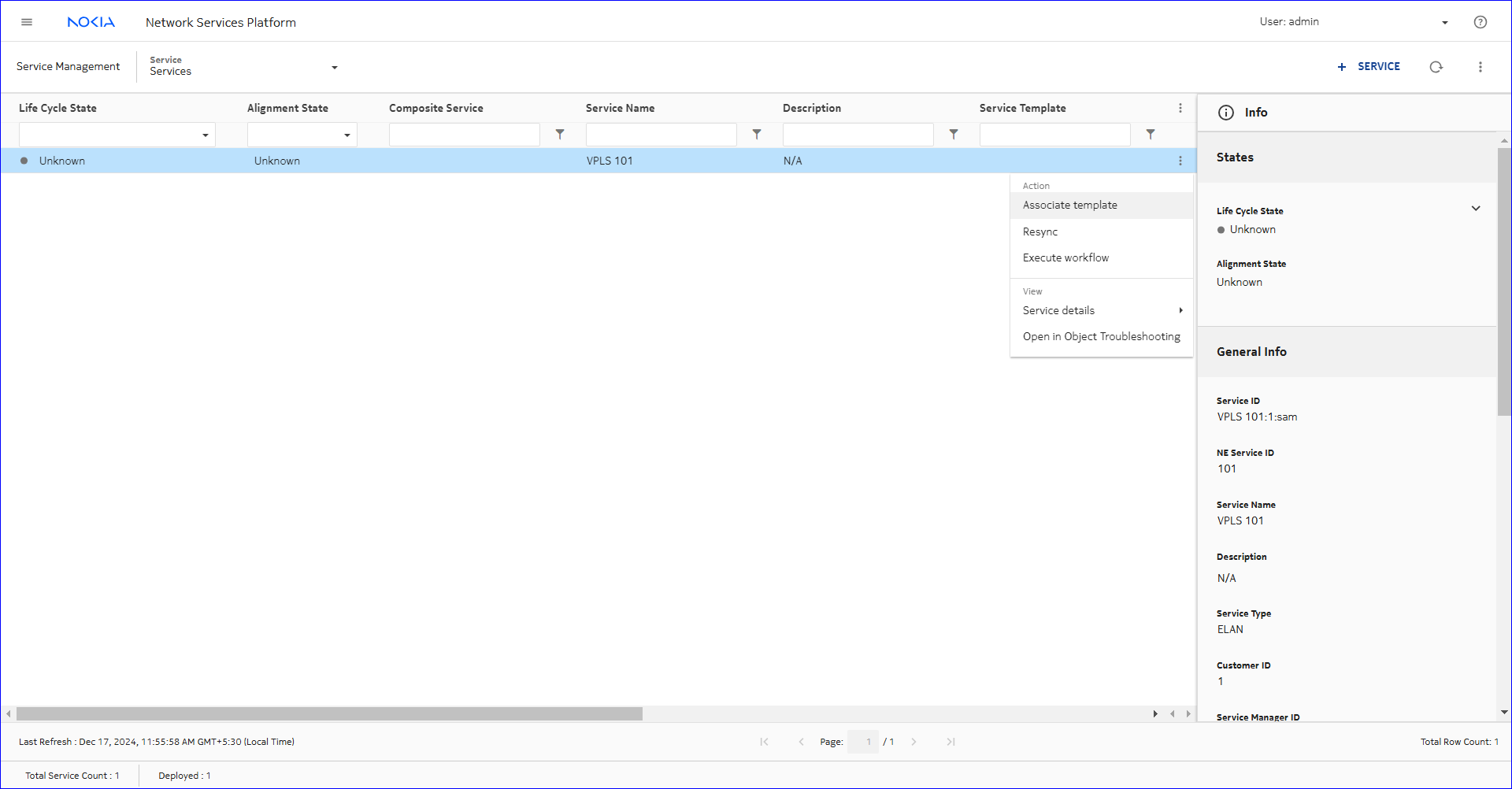 ADD next to the Populate list. ADD next to the Populate list.
The Edit Populate form opens.
|
10 |
Configure the parameters as shown below:
The CLI output is as follows:
:admin@leaf-11# info interface irb0
admin-state enable
subinterface 0 {
admin-state enable
ipv4 {
admin-state enable
address 1.1.1.2/24 {
anycast-gw false
}
address 3.3.3.3/24 {
anycast-gw false
}
arp {
timeout 14400
learn-unsolicited false
host-route {
populate evpn {
}
}
}
}
ipv6 {
admin-state enable
neighbor-discovery {
reachable-time 30
stale-time 14400
learn-unsolicited none
}
}
}
|
11 |
Click UPDATE.
The Edit Populate form closes and the Host Route section is updated as shown below:
|
12 |
Click ADD next to the Advertise list.
The Create Advertise form opens.
|
13 |
Configure the parameters as shown below:
The CLI output is as follows:
A:admin@leaf-11# info interface irb0
admin-state enable
subinterface 0 {
admin-state enable
ipv4 {
admin-state enable
address 1.1.1.2/24 {
anycast-gw false
}
address 3.3.3.3/24 {
anycast-gw false
}
arp {
timeout 14400
learn-unsolicited true
host-route {
populate evpn {
}
}
evpn {
advertise dynamic {
}
}
}
}
ipv6 {
admin-state enable
neighbor-discovery {
reachable-time 30
stale-time 14400
learn-unsolicited none
}
}
}
--{ + running }--[ ]--
|
14 |
Click UPDATE.
The Create Advertise form closes and the EVPN section is updated as shown below:
|
15 |
Click UPDATE.
The Edit IRB form closes.
|
Deploy
|
| |
|
16 |
Click DEPLOY.
The Edit Service form closes and the service is deployed.
End of steps |