| |
|
1 |
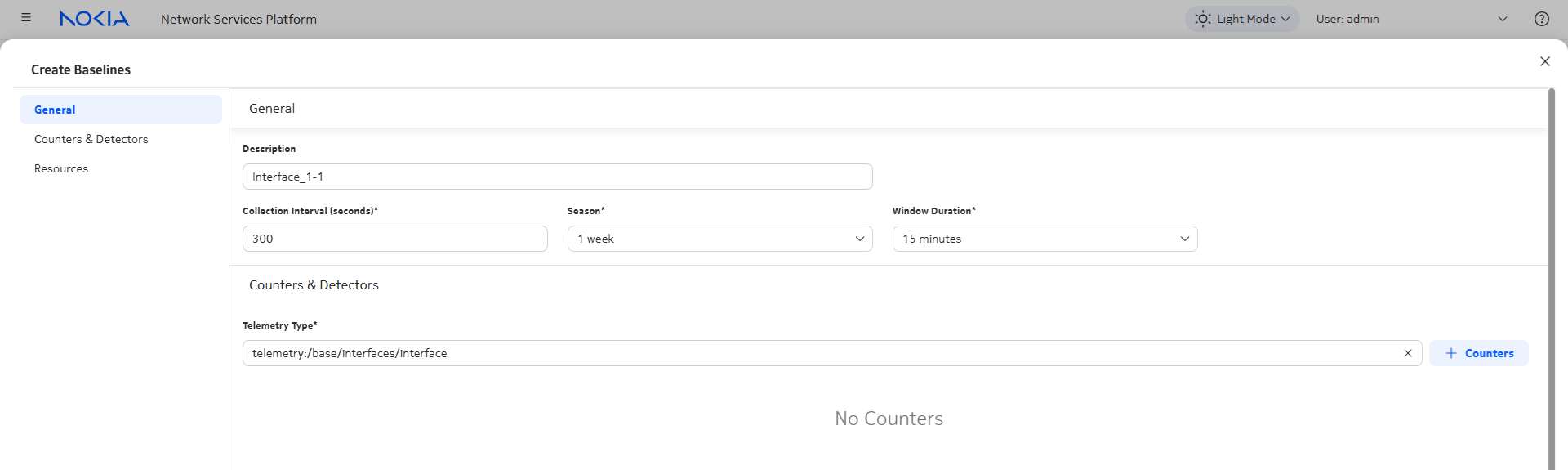
From Data Collection and Analysis Management, Baselines, click  Baseline. Baseline.
|
2 |
Configure the collection and learning parameters. The baselines in this example will collect statistics every 30 seconds, calculate counters based on a 15 min window, and learn trends based on one week of tracking.
|
3 |
Enter a telemetry type and click Counters
|
4 |
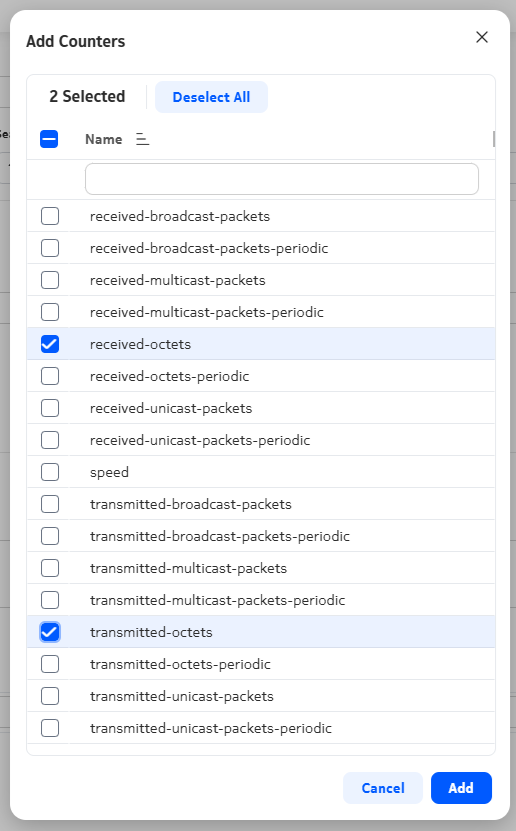
A form opens, showing the available counters. We’ll choose transmitted and received octets.
Select the counters and click Add.
|
5 |
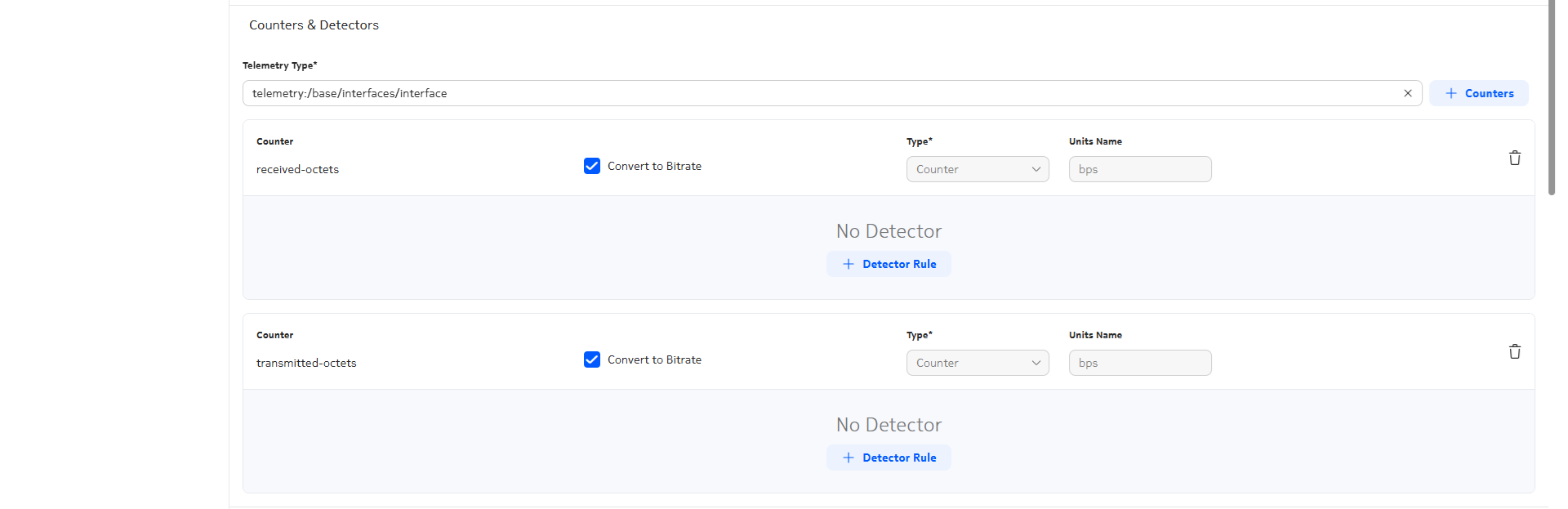
Configure the counter type and select conversion to bitrate if needed. The counter type for this example is Counter for both, and both counters are converted to bitrate.
|
6 |
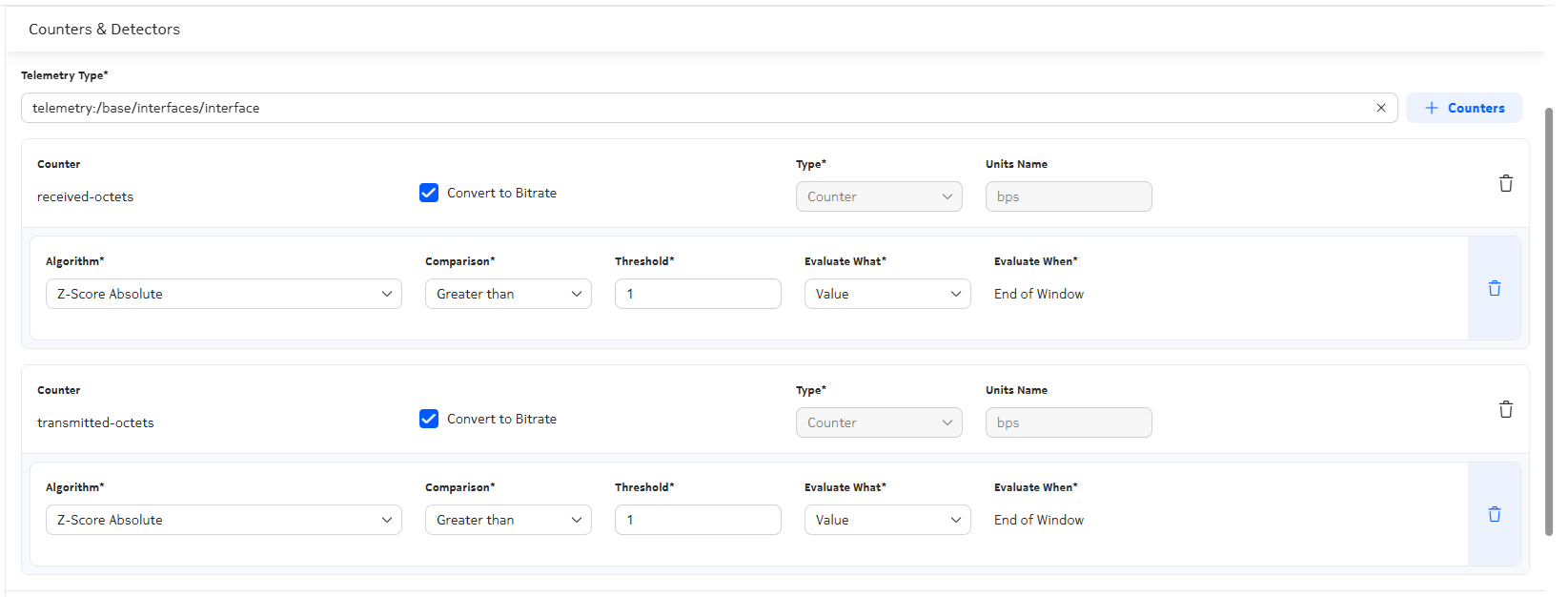
Configure anomaly detection for each counter. Click Detector Rule and configure the parameters.
|
7 |
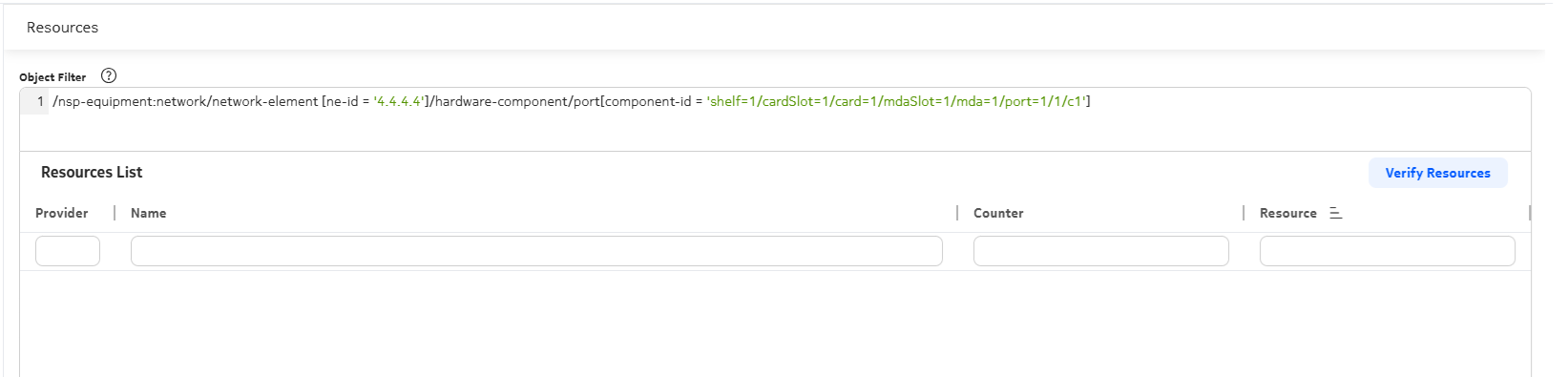
Creating an object filter to specify the NE and port makes finding the resources easier. Enter an object filter and click Verify Resources.
|
8 |
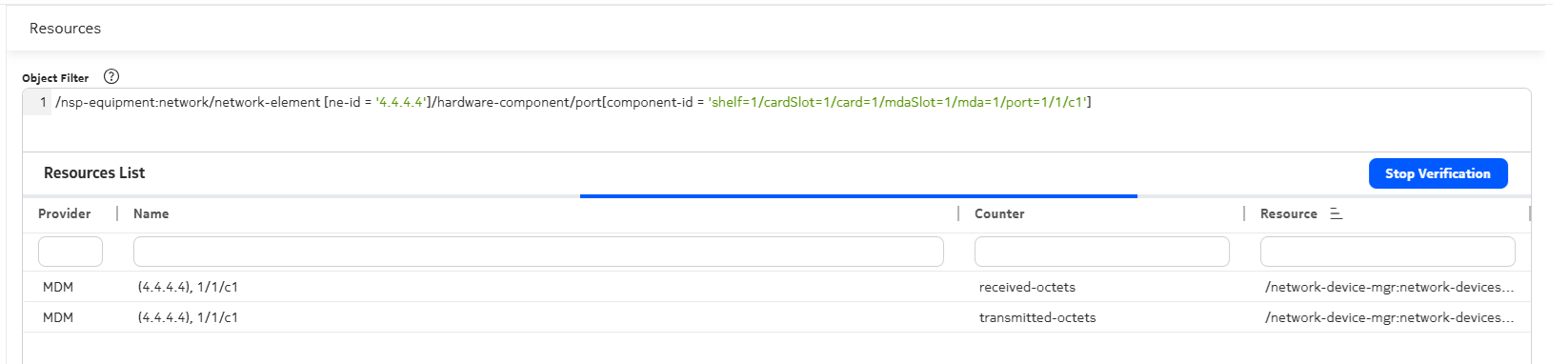
NSP checks for resources corresponding to the filters and counters specified. When the resources we need appear in the resources list, click Stop Verification. The verification does not stop on its own.
|
9 |
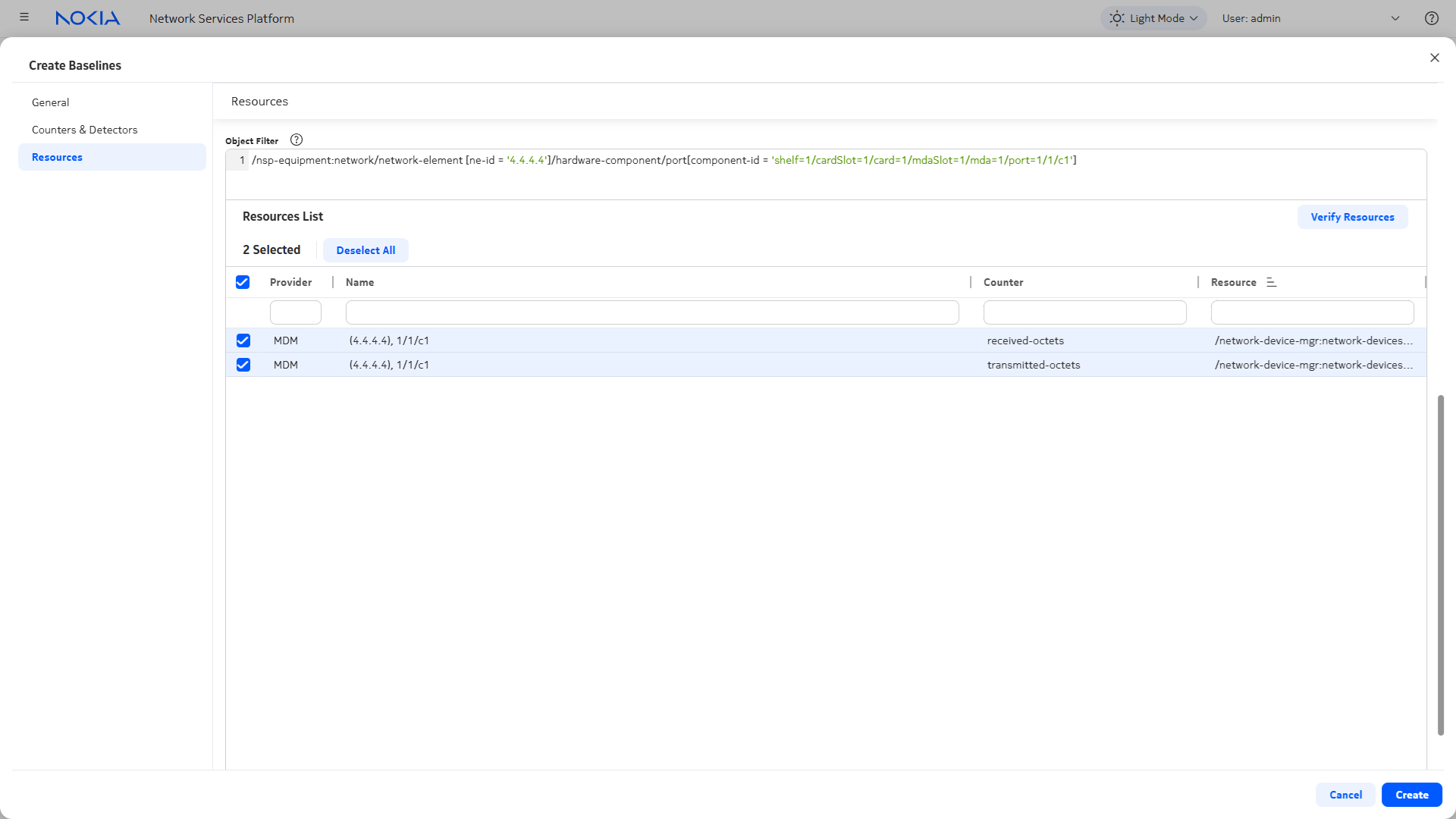
Select the resources in the resources list and click Create.
End of steps |