
Recovery
If the community SONiC image in the system becomes corrupted, it may be necessary to perform recovery procedures to correct the image.
Reimaging from ONIE using a local Nokia community SONiC image
The user can recover a Nokia community SONiC device by reinstalling the Nokia community SONiC image from a local image through the Open Network Install Environment (ONIE). This method is typically used when it's not possible to boot the existing image or a factory reset is needed.
- Ensure the RS-232 console is connected to the front port; the rate depends on the platform, for example, 9600 baud or 115200 baud.
- Have the ability to power cycle the device.
- Ensure the local image file is available, for example, in the directory /tmp/IMAGE_FILE.bin, on a USB drive or an SD card, or another method supported on your platform (for example, over the network).
- If you are using a 7215 IXS device, have the bootloader (U-Boot) credentials available.
This procedure uses the bootloader (U-Boot) and ONIE installer. The boot-timing windows are short.
The examples in this task show reimaging of a 202411 software version.
-
If you are using an ARM64 device, use the following steps to run the ONIE boot;
otherwise, go to step 2.
-
If you are using an x86 device, use the following steps to run ONIE boot.
- Display the GNU GRUB menu by pressing the up arrow key during power on.
- Select ONIE from the GNU GRUB menu as shown in the following figure.
- Go to step 3.
Figure 1. GNU GRUB menu 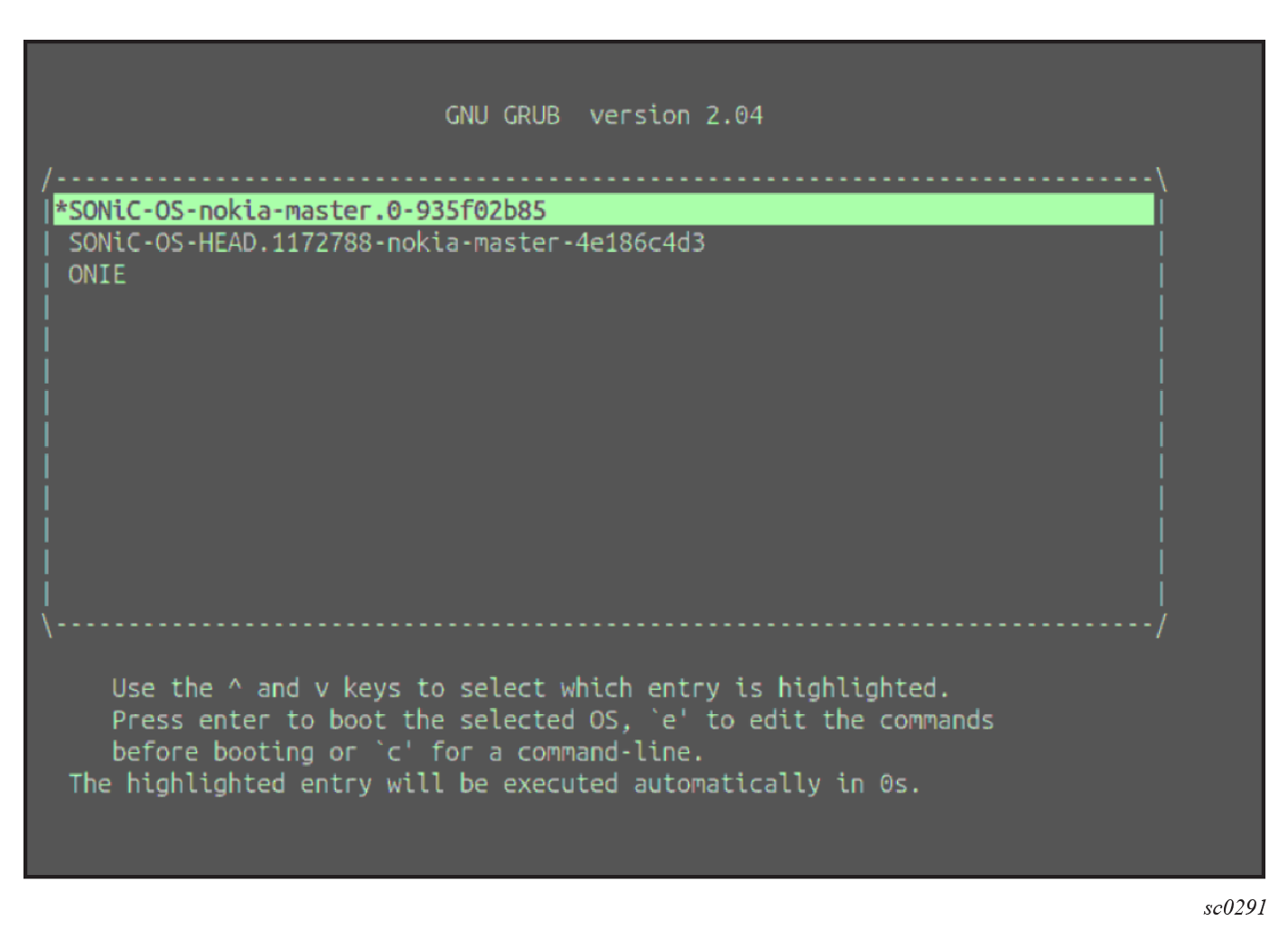 ONIE starts automatic discovery by default.
 -
Stop the ONIE automatic discovery before running a manual installation.
ONIE:/ # onie-stop discover: installer mode detected. Stopping: discover... done. -
Reinstall the image (from your local storage, a USB drive or SD card, or over
your network), using the onie-nos-install command.
Reinstall image from local disk
ONIE:/ #
ONIE:/ # ls /tmp
sonic-marvell-prestera-arm64.bin
ONIE:/ #
ONIE:/ # onie-nos-install /tmp/sonic-marvell-prestera-arm64.bin
The system installs the Nokia community SONiC image. -
When the reinstallation completes, use the show version
command to verify the Nokia community SONiC software version and build details.
admin@router:~$ show version

SONiC Software Version: SONiC.HEAD.1086978-202411-ce988a8c
SONiC OS Version: 13
Distribution: Debian 13.1
Kernel: 6.12.41+deb13-sonic-arm64
Build commit: ce988a8c
Build date: Fri Nov  7 11:55:35 UTC 2025
Built by: gitlab-runner@sonic-armv16

Platform: arm64-nokia_ixs7215_52xb-r0
HwSKU: Nokia-7215-A1
ASIC: marvell
ASIC Count: 1
Serial Number: 124080XXXX
Model Number: 3HE18723AAXXXX
Hardware Revision: 0
The output confirms that the expected Nokia community SONiC image is reinstalled and active.