
Apps
App manifest
Apps are defined by a manifest that contains the following information about the app:
- Name or title
- Vendor or author
- Version
- Published Date (build date of the App of that version)
- Source code link
- Git references and paths
- License link
- Short description
- Documentation link
- Artifacts
- Containers
- Scripts
- CRs
- CRDs
- UI design and configuration
- Dependencies and requirements
App details
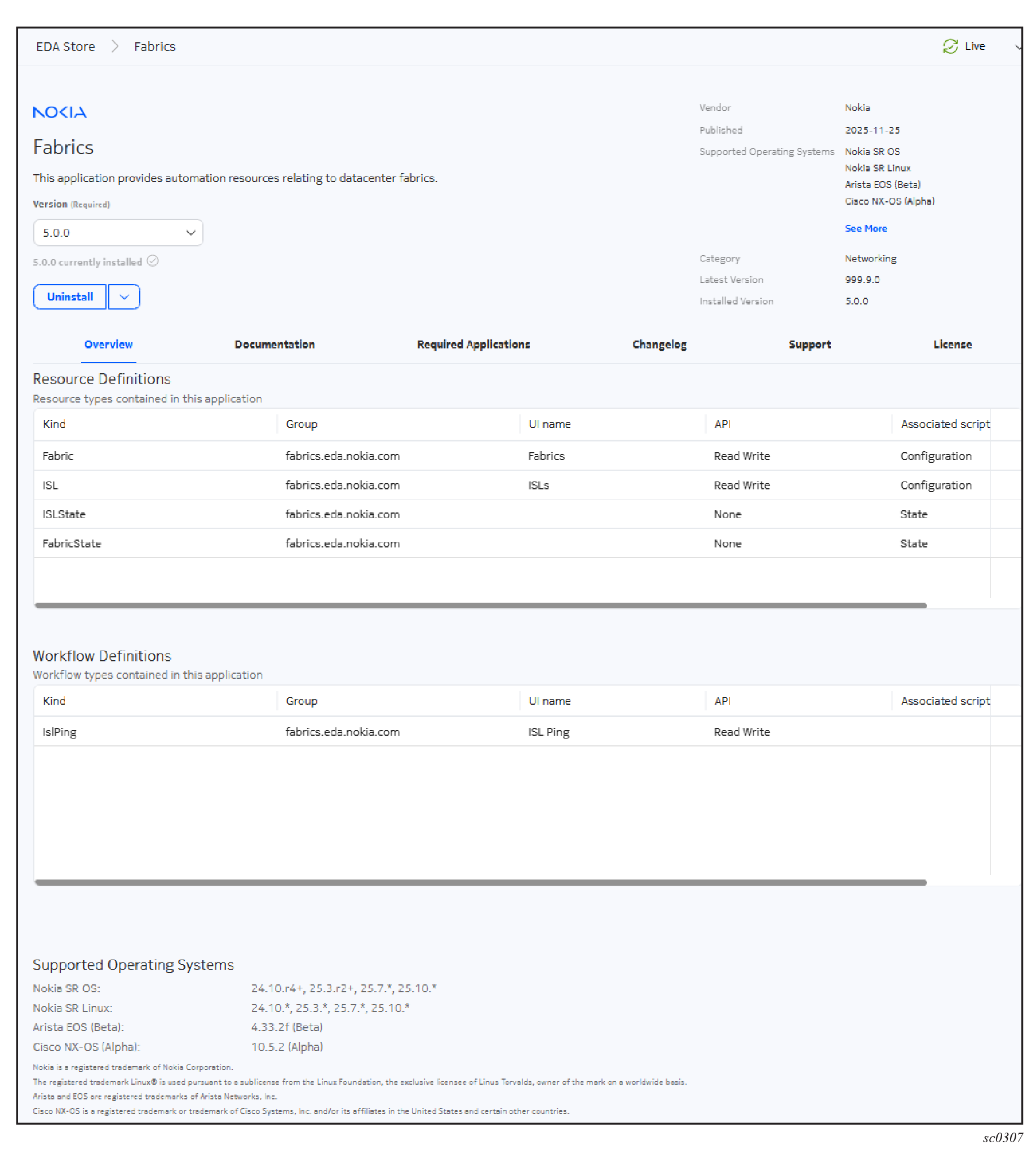
- description of the app
- version of the app: to view other versions of the app, click the drop-down list
- vendor
- publish date
- supported operating system: click See More to display all supported operating systems. To view the supported versions for each operating system, see the Supported Operating Systems section in the Overview tab.
- category
- latest version
- installed version, if the app is installed
If the app is not installed, the Install drop-down list is displayed; see Installing an application for more information.
If the app is installed, the Uninstall and Upgrade options are displayed. For more information, Uninstalling an app.
- Overview: shows the Resource definitions and Workflow definitions that come with the app and details about the operating system supported.
- Documentation: provides documentation for an app.
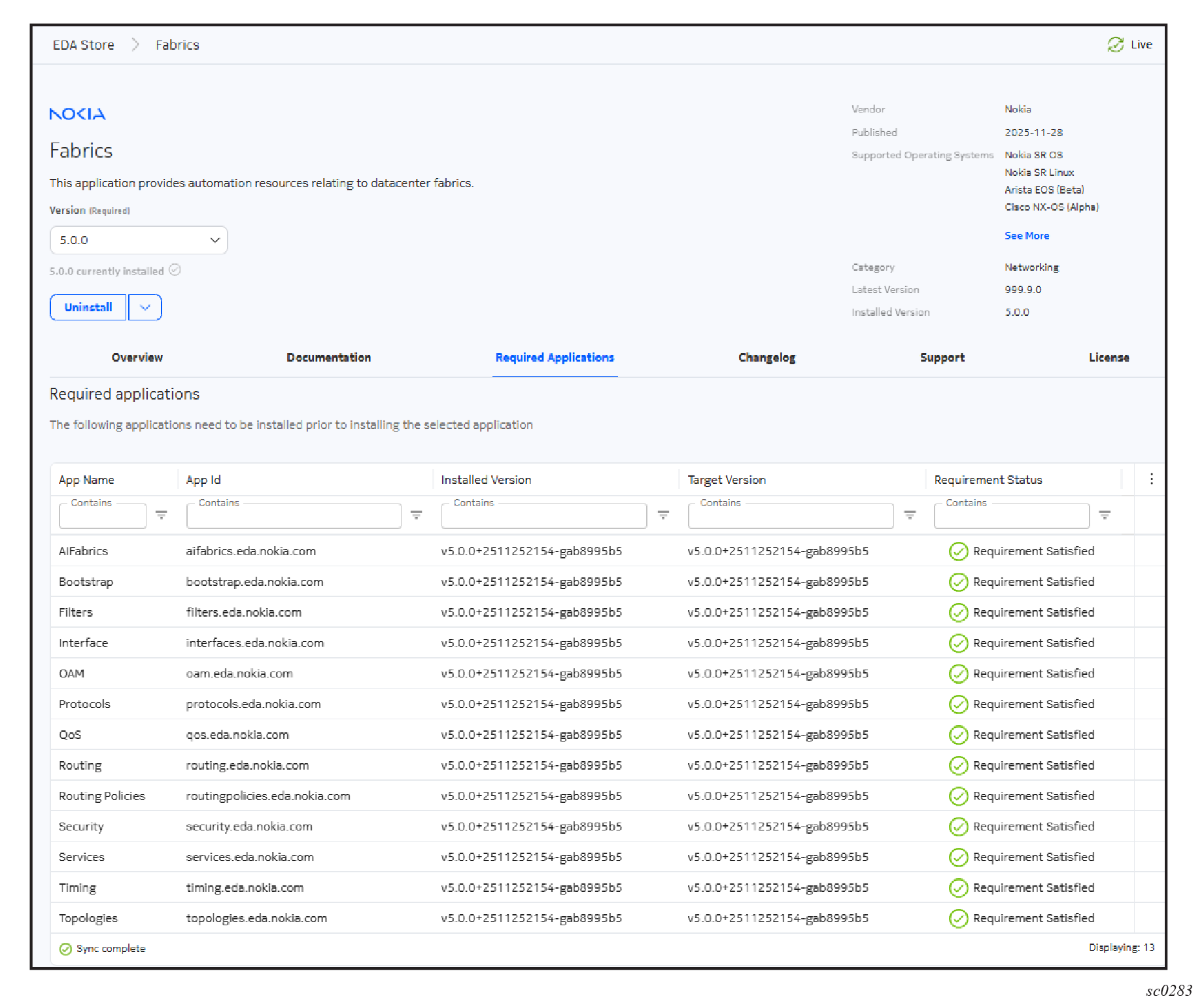
- Required Applications: lists the required apps and if they are already installed; see App dependencies for details.
- Changelog: provides release notes for some apps.
- Support: for some apps, provides links to where you can get more information.
- Licenses: provides licensing information for the app.
- Available settings: displays only for specific apps; see App settings for details.
App CRDs
- Kind / group
- UI name
- API (none, read only, or readWrite)
- Associated script type (none, config, or state)
App dependencies
Dependencies are requirements that are defined in an app's manifest that must be satisfied before the app can be installed. The requirements can be for other apps or for a specified version of the EDA core.
If a dependency is not satisfied, such as when a required app is missing or if it is the wrong version, the impact is as follows:
- During installation: the installation fails.
- During an upgrade: the upgrade fails.
- During the deletion of an app: the deletion fails.
To view the dependencies for an app, from the EDA Store page, click the app's tile to open its page and click the Required Applications tab. As shown in the following example, requirements that are satisfied are checked.
App settings
